30% off for life when you start your trial. Don’t just watch AI happen – lead it. Claim your discount >

Meta Consent Mode ensures your ads remain effective while respecting users' privacy choices and complying with regulations like GDPR and CCPA. It dynamically adjusts how the Meta Pixel collects data based on user consent, allowing advertisers to model conversions even when cookies are declined. This means you can still measure and optimize ad performance without violating privacy laws.
Key Points:
What It Does: Adjusts tracking behavior based on users' cookie consent preferences.
How It Works: Sends limited, non-identifiable data ("cookieless pings") when consent is denied, enabling conversion modeling.
Why It Matters: Helps advertisers comply with privacy laws, avoid fines, and maintain campaign performance.
Setup Steps: Configure Meta Pixel, integrate a Consent Management Platform (CMP), and test implementation using tools like Google Tag Assistant.
By leveraging AI-driven conversion modeling, Meta Consent Mode bridges the gap between privacy compliance and effective advertising.
Using Meta Ads with Consent Mode in GTM
How Meta Consent Mode Works
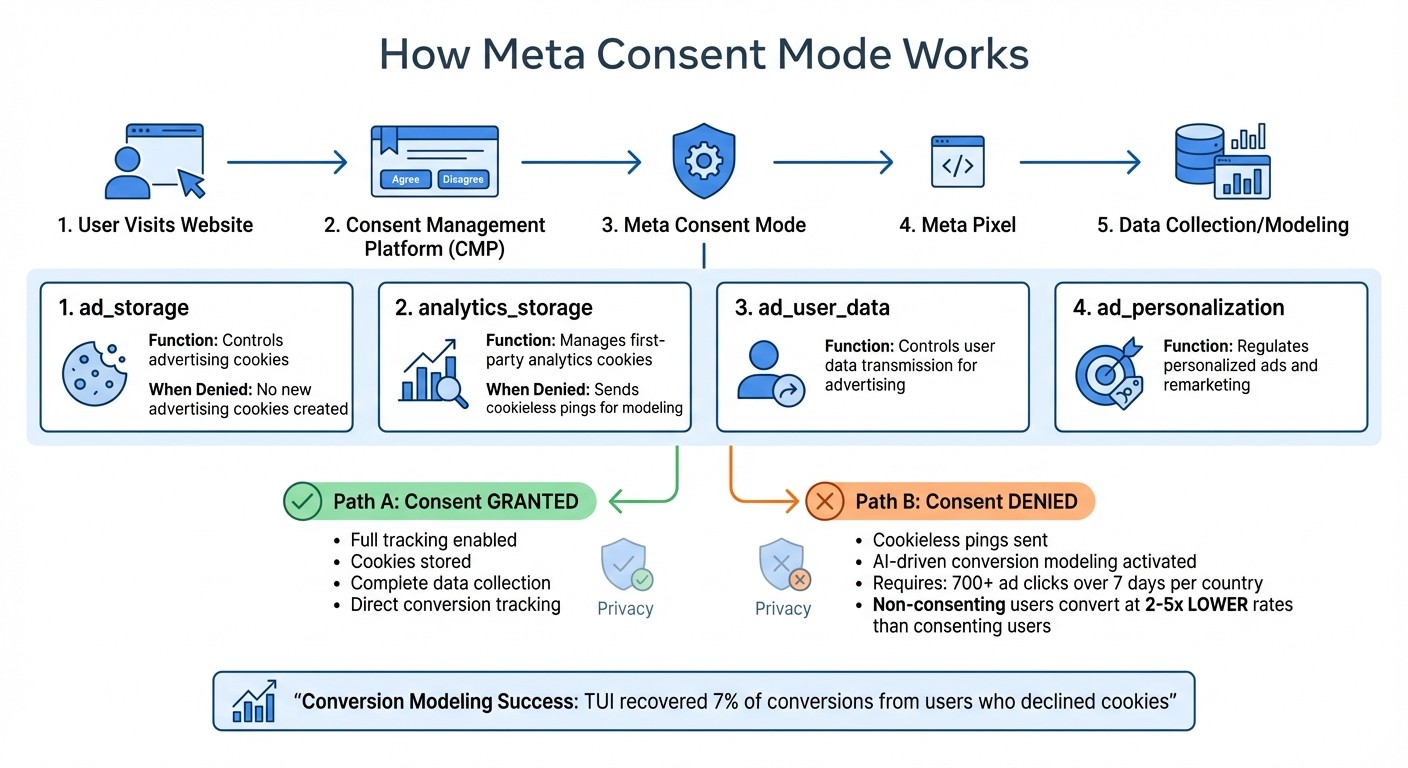
How Meta Consent Mode Works: Data Flow and Consent Parameters
Meta Consent Mode acts as a bridge between your Consent Management Platform (CMP) and the Meta Pixel, dynamically adjusting how tags behave based on user preferences. When visitors decide whether to allow cookies, Consent Mode directs tags to either store cookies, send complete data, or operate in a privacy-focused manner.
The system uses specific consent parameters to control tracking functions, aligning them with the permissions granted by users.
Consent Parameters and Their Functions
Four key parameters dictate what data the Meta Pixel can collect and how it is utilized:
ad_storage: Controls advertising cookies. If denied, no new advertising cookies are created, and existing ones remain untouched.analytics_storage: Manages first-party analytics cookies. When denied, tags send cookieless pings for modeling instead of using persistent identifiers.ad_user_data: Determines whether user data can be transmitted for advertising purposes.ad_personalization: Regulates whether data can be used for personalized ads and remarketing.
If ad_storage is denied and ads_data_redaction is enabled, the system automatically removes ad-click identifiers from network requests, preventing cross-site tracking.
By configuring these parameters, you can maintain accurate conversion modeling and custom conversions even when direct tracking is restricted.
Default Settings and Conversion Modeling
When consent parameters are set to "denied" by default, the system relies on conversion modeling to estimate outcomes from users who opt out of tracking. This approach is especially useful in regions with strict privacy regulations, as tags can fire immediately using cookieless pings while respecting user privacy.
Meta's AI leverages historical trends and calibration factors - based on approximately 700 ad clicks over a seven-day period per country - to estimate conversions from non-consenting users.
"Conversion modeling uses Google AI to analyze observable data and historical trends, quantifying the relationship between consented and unconsented users." - Google Ads Support
For more accurate calibration, advanced setups that load tags before the consent banner is displayed are recommended. These advertiser-specific calibration factors provide more precise conversion estimates compared to generic models, with results appearing in reports within a week.
While consented users typically convert at rates 2x to 5x higher than non-consenting users, conversion modeling can recover a substantial portion of lost conversions. For instance, the global tourism company TUI saw a 7% boost in conversions after implementing Consent Mode to model data from users who declined cookies.
These strategies help ensure your campaigns remain effective while staying compliant with privacy regulations.
Setting Up Meta Consent Mode
To set up Meta Consent Mode, you'll need to follow three key steps: configure your Meta Pixel with default consent settings, connect your Consent Management Platform (CMP), and thoroughly test the setup.
Configuring Meta Pixel with Default Consent Settings
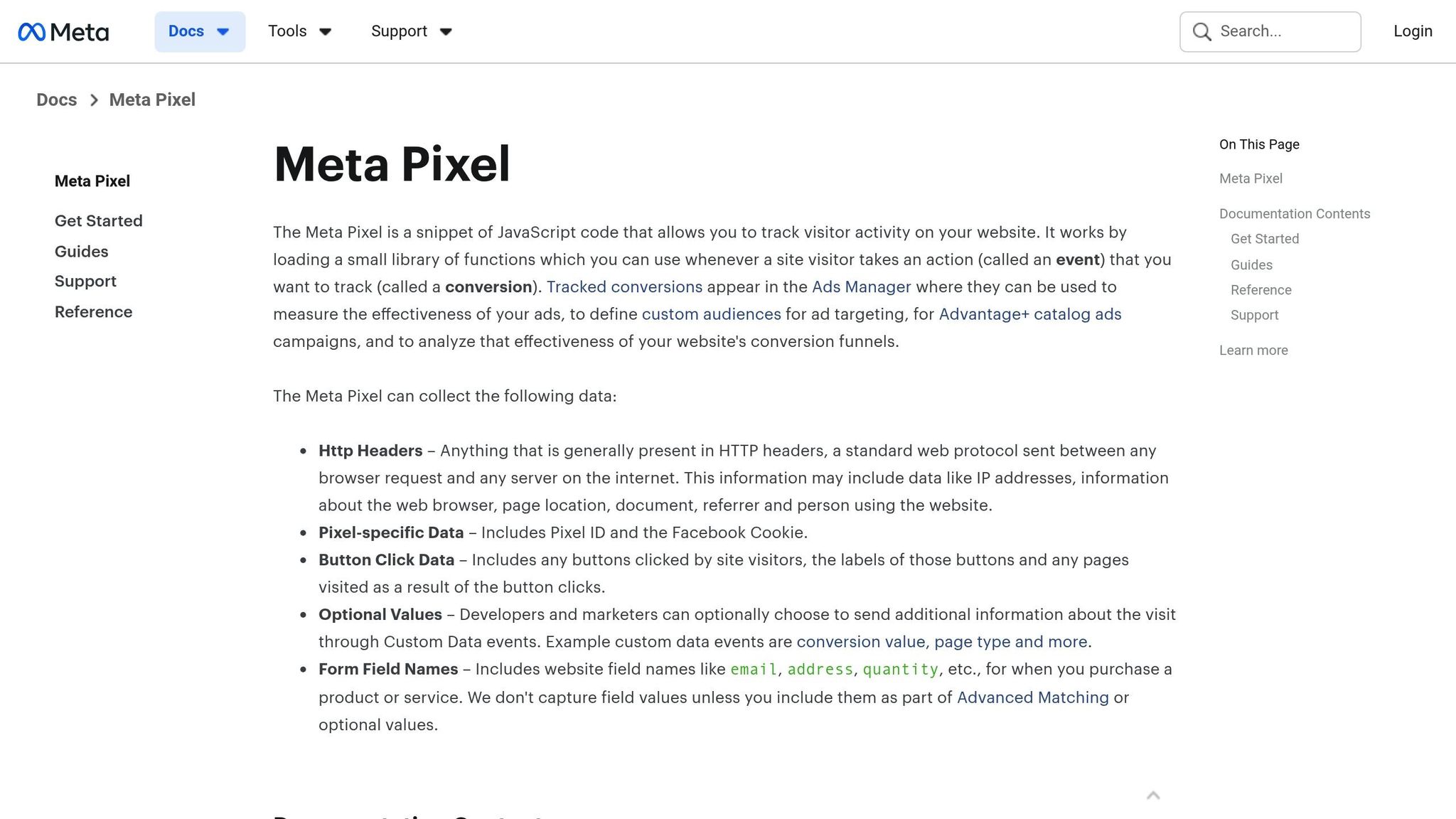
Start by setting your Meta Pixel's default consent state to "denied" for regions with strict privacy regulations, like the EEA. This ensures cookies are not placed until users interact with your consent banner.
In Google Tag Manager (GTM), create a tag that fires during "Consent Initialization." This step is critical because it ensures the default consent state is loaded before any tracking tags begin operating. For advanced setups, tags can fire immediately using cookieless pings, enabling conversion modeling. In contrast, basic setups block tags until users make a choice, which can restrict conversion modeling capabilities.
Set the four key consent parameters - ad_storage, analytics_storage, ad_user_data, and ad_personalization - to "denied" in regions with stricter privacy laws. If you're working with tags that don’t support consent by default, use GTM's Advanced Consent Settings to enforce compliance.
Keep in mind that applying "denied" globally can reduce measurement accuracy in areas without stringent privacy laws. Instead, focus on specific regions like the EEA to maintain precision where it's required.
Once this is configured, the next step is integrating your CMP to dynamically manage consent updates. This is why real-time consent matters for maintaining ad performance in 2025.
Integrating CMPs for Consent Updates
Select a CMP that provides official Google Tag Manager community templates - options like CookieScript, Cookiebot, and OneTrust simplify the integration process and eliminate the need for complex manual coding. These templates are designed to automatically connect your CMP with the Meta Pixel through the consent API.
Ensure your CMP executes the default consent command before the Meta Pixel loads. Then, it should immediately trigger an update command once a user makes their selection. If the commands fire out of order, the system may fail to capture consent states accurately, which can negatively impact conversion modeling.
After setting this up, it’s essential to test everything to confirm that your implementation works as intended.
Testing Your Implementation
Use Google Tag Assistant to verify that consent states update properly - from "denied" to "granted" - when users accept cookies. Ensure the initial default command fires before any tags load. This step is crucial to avoid accidental data collection before obtaining user consent.
Continue testing with Google Tag Assistant and review diagnostics over a seven-day period. This will help confirm that tags are firing in the correct sequence and that your conversion modeling metrics are being accurately captured. Also, check that your account meets the minimum data requirements for effective conversion modeling.
If your results don’t meet expectations, double-check that consent commands are firing in the correct order and that no tags are loading before the default state is set. Addressing these issues will help ensure reliable ad performance and accurate data collection.
Maintaining Ad Performance While Staying Compliant
Benefits of Consent-Aware Optimization
Consent Mode helps recover ad performance by leveraging conversion modeling. When users decline cookies, the system uses AI to bridge data gaps by analyzing observable data and historical trends. This approach provides a more complete picture of ad performance while safeguarding user privacy.
Interestingly, users who give consent are 2× to 5× more likely to convert compared to those who don’t. To enhance accuracy, Advanced Consent Mode sends cookieless signals - like timestamps, user agents, and coarse ad-click data - that platforms can use to create advertiser-specific calibration factors. These factors are far more precise than generic fallback methods. However, to qualify for this feature, your domain must generate at least 700 ad clicks over a 7-day period within a specific country grouping.
To measure success, keep an eye on the "uplift" metric in your Diagnostics tab, which compares modeled conversions to observed ones. This combined view of observed and modeled results feeds directly into automated bidding strategies like Target CPA or Target ROAS. Even when direct tracking is limited, this integration ensures your campaigns remain efficient and well-optimized.
How AdAmigo.ai Supports Consent-Aware Campaigns
Managing consent-aware campaigns can be simplified with the right tools. AdAmigo.ai automates campaign optimization by fine-tuning budgets, targeting, and creatives with both observed and modeled performance data. These automated solutions work seamlessly with the Consent Mode setup, helping you maintain effective campaigns despite privacy restrictions.
As a certified Meta Business Technology Partner, AdAmigo.ai securely integrates with your Meta ad account and aligns campaigns with privacy updates like the Andromeda framework. Its AI Actions feature provides daily, prioritized recommendations for improving creatives, targeting, budgets, and bids - making it easier to adapt when conversion data is incomplete.
On the creative side, AdAmigo.ai’s AI Ads Agent reviews your top-performing ads and generates fresh, brand-aligned creatives that you can launch with one click. This AI-powered creative scaling helps counteract potential performance losses caused by reduced tracking precision. According to a G2 reviewer, AdAmigo.ai significantly improved their budget control and ROAS, outperforming agencies that charge up to seven times more.
For agencies handling multiple clients or in-house teams with limited resources, the time savings are substantial. Many AdAmigo.ai users report achieving their key performance goals with less than five minutes of work per week.
Conclusion
Meta Consent Mode is a cornerstone for running campaigns that are both effective and compliant with privacy regulations. Consider this: in January 2025, the UK Information Commissioner’s Office revealed that 67% of the country's most-visited websites were violating GDPR cookie rules. Meanwhile, European authorities imposed over €2.92 billion in GDPR fines throughout 2024. Failing to implement proper consent signals can lead to campaign restrictions, account suspensions, and data loss - potentially wasting up to 21% of your ad budget.
But here's the good news: adopting Consent Mode doesn’t mean compromising on performance. Recent data shows that Consent Mode can help recover conversions even when cookies are declined. With advanced features, it sends cookieless pings that enable advertiser-specific modeling, allowing for more accurate conversion tracking without relying on cookies.
"Meta Consent Mode is essential for any website using Meta Pixel and wanting to remain GDPR-compliant. It simplifies legal obligations, improves user trust, and ensures your campaigns remain effective - even when consent is denied." – Lawwwing
To get started, integrating a certified Consent Management Platform (CMP) is key. A CMP can automatically adjust your Meta Pixel settings and ensure compliance, while tools like Google Tag Assistant can help verify proper implementation. For advertisers juggling multiple clients or limited resources, platforms like AdAmigo.ai simplify the process. As an official Meta Business Technology Partner, it handles tasks like budget allocation, creative testing, and audience refinement - all while respecting consent signals and keeping campaigns optimized, even when tracking accuracy dips.
The shift to privacy-first advertising isn’t going anywhere. By implementing Consent Mode and leveraging AI-driven tools, you can ensure your campaigns stay compliant, effective, and ready for the future.
FAQs
What is Meta's Consent Mode, and how does it help with GDPR and CCPA compliance?
Meta's Consent Mode is a tool designed to help advertisers align with privacy regulations such as GDPR and CCPA. It adjusts how user data is collected and processed based on individual consent. If users choose not to allow tracking, Consent Mode ensures their preferences are honored by relying on aggregated, non-identifiable data instead of personal details.
This approach enables advertisers to measure performance and refine campaigns without stepping outside the boundaries of privacy laws. For businesses running Meta ads, platforms like AdAmigo.ai can simplify the process by automating ad creation and optimization, letting you concentrate on strategy while staying compliant and maintaining results.
How does conversion modeling in Meta Consent Mode benefit advertisers?
Meta's Consent Mode with conversion modeling helps advertisers keep their conversion tracking on point, even when users opt out of cookies. By using privacy-conscious techniques, it bridges the gaps in measurement, delivering dependable performance insights while honoring user privacy.
This method can also reclaim conversions that might otherwise go untracked, offering a more accurate view of campaign performance and potentially boosting reported results. By addressing these data gaps, advertisers can make smarter decisions without stepping outside the boundaries of GDPR or CCPA compliance.
How do I set up and test Meta's Consent Mode on my website?
Currently, detailed guidance on setting up and testing Meta's Consent Mode is scarce. Most available resources tend to focus on Google’s Consent Mode or testing the Meta Pixel, leaving specific instructions for Meta’s Consent Mode largely undocumented.
If you're aiming to stay compliant with GDPR or CCPA while running Meta ads, it’s a good idea to check Meta's official documentation or consult with a compliance expert. Additionally, tools like AdAmigo.ai can simplify managing your Meta ad campaigns, letting you prioritize strategy while ensuring compliance.