
Meta Ads API Automation: Insights & Integration Workflows
Build a Meta Ads API workflow to pull campaign insights, connect reports to marketing automation, and apply changes with safeguards. See reporting fields, breakdowns, and examples.
The Meta Marketing API lets you automate ad management and reporting, but an Insights request is not a continuous live stream. Use the Ads Insights API to retrieve performance data, the Marketing API to manage campaign objects, and the Conversions API to send server-side conversion events. A useful workflow is to request only the metrics you need, validate the returned data, then make changes only under rules that fit your goals and safeguards. For background, see budget vs. audience expansion, performance tracking, and scaling spend without losing ROAS.
Campaign management: The Marketing API can create and manage ad objects.
Reporting: The Ads Insights API accepts an ad-account, campaign, ad-set, or ad object and lets you choose fields, reporting parameters, and supported breakdowns.
Conversion events: The Conversions API sends server-side event data; it is separate from pulling ad-report metrics.
Change notifications: Meta webhooks send notices for subscribed Graph API object changes; use Insights queries for reporting data.
Integration basics: Protect access tokens, request only permissions the workflow needs, and monitor API usage limits. Follow applicable privacy requirements, including the CCPA where it applies.
Creative workflow: Use dynamic creative optimization as a testing approach, then evaluate performance with the data available for the chosen report.
Meta Ads API Tutorial: Create & Update Ads
How a Meta Ads API Integration Workflow Works
Treat an integration as a read–decide–act workflow, not a promise of instant optimization. The Meta Marketing API manages ad objects; its Ads Insights API returns performance reports. These tools can support campaign scaling, but the quality of decisions still depends on the reporting window, metrics, and rules you choose.
Authorize the job. For a reporting-only workflow, request the
ads_readpermission; requestads_managementonly if the integration must change ads. The permissions and review requirements depend on the accounts and actions involved, so check Meta's current authorization guidance.Pull a defined report. Query the Insights edge for an ad account, campaign, ad set, or ad. Choose the date range and fields—such as impressions, clicks, spend, and actions—and add a breakdown only when it answers a specific question.
Validate before deciding. Keep object IDs and report dates with the returned values, handle pagination, and check that the chosen breakdown and metrics are supported together. For conversion measurement, use the Conversions API as a separate server-to-server event flow; it does not replace ad reporting or guarantee that every event is captured.
Apply changes with controls. Compare results with your own target and minimum-data rules, log the recommendation, and require an approval step where an incorrect change could affect live spend. Use the Marketing API for approved campaign edits. Webhooks can notify an app about subscribed object changes, but they are not a substitute for requesting Insights reports.
Meta's documentation says Insights data refreshes every 15 minutes; that is a data-refresh interval, not a guarantee that a query is instantaneous or that every metric is final. Use the attribution guidance that fits your reporting question.
Key APIs for Real-Time Data Integration
Meta offers several APIs that are critical for integrating real-time data into your operations:
Conversions API: Sends event data from a server to Meta. Use it to share conversion events; it serves a different purpose from the Ads Insights reporting endpoints.
Ads Insights API: Reads performance data from an ad account, campaign, ad set, or ad. Requests combine fields (metrics), parameters (such as date range), and optional breakdowns. Meta documents a 15-minute refresh interval for Insights data; query results should not be described as an instant stream.
Webhooks: Send notifications when fields on subscribed Graph API objects change. Choose them for subscribed object-change events, not as a replacement for Insights reports.
Marketing API: Manages campaign objects programmatically. Use it for approved edits, and see common mistakes in bulk Meta ad testing before automating changes at scale.
Before connecting an app to live ad data, check the requirements for the exact reporting or management task.
Requirements Before API Integration
Meta app and permissions: Add the Marketing API to a Meta app. For reports, request
ads_read; requestads_managementonly when the workflow needs to manage ads. Access and review requirements depend on whether you work with your own or other people's accounts. See Meta's authorization guide and the site's guide to business verification.Access token: Use a token with the required permissions, keep it out of client-side code and logs, and store it in a protected server-side secret store. See the guide to Meta access tokens.
Report scope: Start with the smallest useful date range and field list. If a report is too large or times out, reduce the range or split the query; use asynchronous Insights reporting for large jobs where appropriate.
Usage limits: Meta calculates Insights load across app and ad-account usage. Check response headers and pace or back off requests rather than relying on a fixed calls-per-hour figure. Review Meta API rate-limit guidance.
Webhooks and privacy: If you subscribe to object-change notifications, set up an HTTPS endpoint and request the relevant permissions. Follow Meta's Platform Terms and applicable privacy laws, including the CCPA where relevant.
Creative Analytics Through the Meta Ads Insights API
The Ads Insights API returns performance reports for ad objects. Use ad-level fields such as impressions, clicks, spend, CTR, and action costs to compare ads over a defined period. For Dynamic Creative asset reporting, Meta provides asset breakdowns such as image, video, title, and body; those breakdowns have a narrower supported-metric set, so they do not automatically provide every ad-level KPI.
Treat creative fatigue as a hypothesis to test, not a threshold the API can diagnose on its own. Compare results across consistent date ranges and reporting settings, then check spend, conversions, and delivery context before pausing an ad. A single change in CTR or frequency does not establish why performance moved.
The Creative Metrics Worth Pulling
For an ad-level report, request the metrics you need from the /insights edge. To inspect Dynamic Creative assets, use documented breakdowns such as image_asset, video_asset, title_asset, or body_asset. Meta limits which metrics can be combined with these asset breakdowns.
Ad-level response — Compare ctr, clicks, spend, and actions at the same reporting level and over the same date range. A lower CTR is a reason to investigate, not proof that creative fatigue caused the change.
Frequency in context — If you include frequency, interpret it alongside reach, spend, audience, and conversion outcomes. A fixed frequency value is not a universal pause or scale rule.
Action types — The actions result groups outcomes by action type. Use the relevant action type for your goal, and compare it with spend or action cost; do not treat every click or engagement as a lead or sale.
Compare ads without assuming cause — You can review ad-level delivery and cost metrics side by side. A change in CPM between ads does not by itself show that the ads are competing for the same inventory; check audience, placement, delivery, and time-period differences before drawing that conclusion.
Asset reporting — Meta documents asset breakdowns such as image_asset, video_asset, and ad_format_asset. For Dynamic Creative asset breakdowns, the documented metric set is limited to impressions, clicks, spend, reach, actions, and action values; check the current breakdown documentation before combining fields.
Cost per outcome — Compare cost-per-action results in a standard ad-level report. Do not assume those cost fields are available in every asset breakdown; use the ad-level report for CPA and the asset breakdown to inspect the supported asset metrics.
How to Query Ad and Asset Performance
Meta's current Ads Insights documentation uses Graph API v25.0 in its example. For a lead-generation creative comparison, query one ad set at ad level and request only the fields needed to compare spend and reported leads. A reporting request needs ads_read and access to the ad account. Add ads_management only if the workflow will also change ads; required access and review depend on the accounts involved.
Here is an illustrative USD response—not actual account results or a benchmark. The action type is the lead event reported for your account:
Using spend ÷ reported leads, Creative A's illustrative cost per lead is $120 ÷ 8 = $15; Creative B's is $90 ÷ 3 = $30. If both meet your pre-set minimum-volume and lead-quality checks, this sample would support a controlled budget test toward A—not an automatic pause of B. Compare the same action, period, and attribution settings; if the data is too sparse, keep collecting results.
To inspect eligible Dynamic Creative asset results, use a documented asset breakdown and its supported fields. For example:
This request groups eligible results by image asset. Meta's documentation lists impressions, clicks, spend, reach, actions, and action values for Dynamic Creative asset breakdowns. For CTR or cost per action, run a separate standard ad-level report and check the current documentation for field and breakdown compatibility.
Automate: Pull → Detect → Act
The real power is tying Insights API data to the Marketing API for a closed automation loop:
Pull — Query ad-level performance for a consistent reporting period, then query an asset breakdown only if you need to compare eligible creative elements.
Detect — Compare results with your campaign goal and historical baseline. Set minimum-data and review rules before treating a change in CTR, cost, or frequency as a reason to act; see these dynamic creative optimization practices.
Act — Create a recommendation, log the evidence, and route material spend changes for approval. If approved, use the Marketing API to update the campaign or ad; use a prepared creative pool only when the new asset has passed your normal review.
This workflow can surface a change for review; it cannot establish creative fatigue from one metric alone. Check whether the reporting period, delivery conditions, and conversion measurement are comparable before pausing or replacing an ad.
Platforms like AdAmigo.ai automate this entire cycle, running creative-level analytics continuously and applying AI-driven adjustments so you're not building and maintaining the pipeline yourself.
Setting Up Meta Ads API Synchronization
A synchronization setup needs separate paths for campaign reports and conversion events. Schedule Ads Insights requests to retrieve performance data; use the Conversions API when you need to send permitted server-side event data. Meta documents a 15-minute refresh interval for Insights, and metrics can continue updating after an ad completes, so a recurring query does not make every result final or instantaneous. See this guide to Meta ads data synchronization for related implementation context.
Choose the data flow first: connect a source such as Shopify, HubSpot, or a custom database to the system that needs it, then authorize the required API access. The guide to setting up Meta API access covers one setup path. Send conversion events through the Conversions API; retrieve campaign metrics through scheduled Insights reports; and use webhooks only for subscribed object-change notifications.
Connecting Meta Conversions and Ads Reporting APIs
Start by setting up the Conversions API vs. tracking pixels to track customer actions accurately. Your server sends conversion events to Meta using HTTPS POST requests to this endpoint:
Each event should include essential parameters like event_name, event_time, and user_data. For eCommerce platforms such as Shopify or WooCommerce, implement server-side tracking to capture purchase events immediately after checkout. For example, a purchase event should include details like the transaction amount and currency (e.g., "value": 149.99 and "currency": "USD"). Send customer identifiers only when you are authorized to share them under applicable law and Meta's terms. Follow the current Conversions API requirements for any permitted fields; hashing alone does not authorize disclosure.
Adjust attribution windows based on your campaign goals. Shorter view-through and click-through windows work well for eCommerce, while lead generation campaigns may benefit from extended click-through windows.
The Ads Insights API returns metrics for the date range, fields, and breakdowns in your request. Select a reporting level and include only the measures needed for your question—for example, spend and actions for a lead report. Check that each metric and breakdown combination is supported, and interpret conversion results using the attribution settings that apply to the account.
If you automate campaign changes, define the threshold from your own goal and require enough comparable data before acting. Log the report, rule, and proposed change, and use an approval step where an incorrect update could affect live spend. Webhooks notify you about subscribed object changes; use Insights reports to measure performance.
Use only the campaign-management operations supported for your objects and permissions. If you batch changes, validate each response and keep a record of the requested and completed updates.
Once your API connections are live, focus on addressing common synchronization issues to keep everything running smoothly.
Fixing Common Issues and Best Practices
After setting up your API integration, you'll need to monitor and resolve common challenges to ensure continuous data flow.
Handle rate limits carefully: If you hit Meta's API rate limits, implement exponential backoff by gradually increasing wait times before retrying requests.
Protect access tokens: Use a token with the permissions your integration needs, store it securely, and monitor its status. See the guide to access tokens and API keys for the distinction.
Prevent data delays: Conversion events may sometimes arrive out of sequence. Adding a short buffer period before sending data to Meta can help capture all related events and avoid duplicates.
Verify webhook reliability: Ensure your webhook endpoint is configured correctly and returns a successful HTTP status code. Setting up performance monitoring and alerts can help identify any issues early.
Separate environments: Use distinct staging and production environments to test changes without affecting live campaigns. Log API responses to quickly resolve authentication or other errors.
Validate conversion data: Regularly compare your internal records with Meta's reports. Investigate any discrepancies to maintain data accuracy.
Request higher rate limits: For high-volume accounts, contact Meta's support to request increased rate limits. Be prepared to provide details about your API usage, including specific endpoints, expected call volumes, and your business case.
Implement error handling: Differentiate between temporary server errors (which can trigger automatic retries) and client-side errors that need manual intervention. Log error details securely to assist in troubleshooting.
Finally, consider daily batch reconciliation as a backup to ensure data accuracy during unexpected outages. This step helps maintain reliable attribution even when real-time synchronization is temporarily disrupted.
Tools for Scaling Meta Ads Optimization
You can build directly on the Marketing API, use a connector to move data between apps, or choose a paid-media platform to handle campaign tasks. Compare the maintenance and control each approach requires; these guides cover Meta ads automation and automated bid rules.
How AdAmigo.ai Enhances Meta Ad Optimization
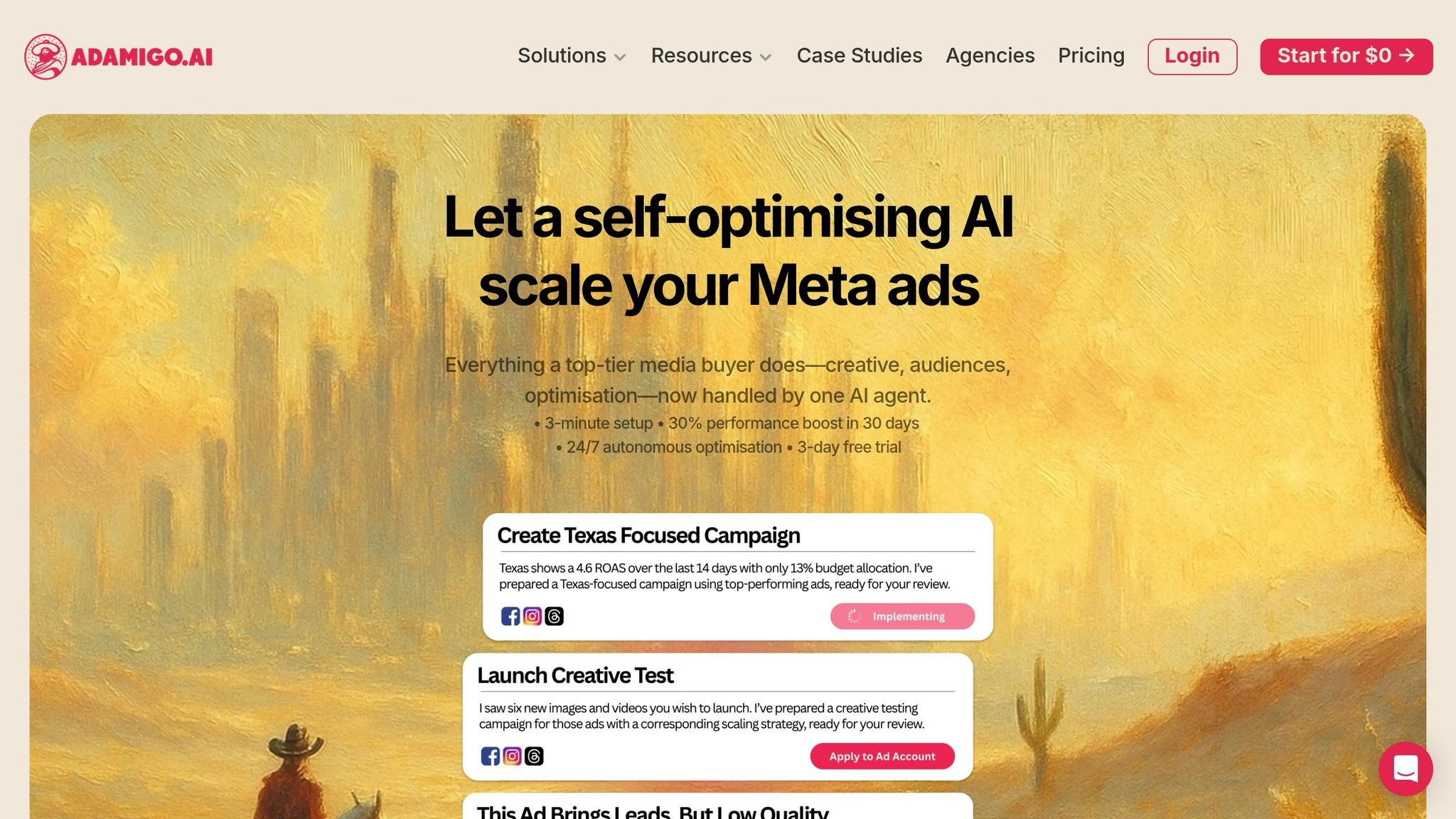
AdAmigo.ai is the publisher's AI media-buying platform for Meta and Google Ads, as described on its product and pricing page. It helps businesses and agencies create ads, build and launch campaigns, monitor accounts, and optimize paid media, with options for user approval or autopilot. Learn more about managing multiple campaigns and using account performance data before deciding whether a platform or a custom integration fits your workflow.
The platform's AI workflows provide recommendations for account changes; you can choose an approval-first or autopilot mode. Those changes may involve budget testing, targeting, or creative, so set guardrails and review what the system will do before enabling automatic changes.
AdAmigo.ai also includes an ad-creation workflow for designing on-brand creatives. Read more about creative scaling and assess the resulting ads against your own brand and policy review.
AdAmigo.ai also offers bulk ad launching and a chat interface for requesting reports or campaign actions. Compare those features with your volume, approval needs, and budget limits before choosing a tool.
The right choice depends on whether you want a managed software workflow, a connector between existing apps, or direct control over a custom API integration.
Tool Comparison Chart
Compare the options by who maintains the workflow, how changes are approved, and how much customization your team needs:
Decision factor | AdAmigo.ai | App connector | Custom API integration |
|---|---|---|---|
Who maintains it? | Platform provider | Connector provider; you configure the flow | Your team |
Approval choices | User approval or autopilot | Depends on the connector | You design the control |
Best fit | Campaign creation, launch, monitoring, and optimization | Moving data between connected apps | A workflow needing custom behavior |
Customization | Within product features | Within connector capabilities | Defined by your implementation |
As of October 18, 2026, AdAmigo.ai's pricing page lists plans at $99 and $349 per month per ad account; agency pricing and managed-service options are also available.
Choose a platform if its features and approval controls fit your process; use a connector for a narrower data-transfer job; or build directly when you need custom behavior and can maintain it. Compare current product limits and pricing before committing.
Best Practices for Scaling Meta Ads with APIs
Scaling Meta ad campaigns effectively through real-time APIs requires more than just plugging into the system. The key lies in managing data flow, handling errors smartly, and maintaining your setup to keep things running smoothly.
Managing Scale and Performance
When scaling campaigns, API rate limits can quickly become a hurdle. Meta's Marketing API enforces strict limits based on your account and endpoint. To avoid hitting these limits:
Use asynchronous request processing to handle high volumes without exceeding thresholds.
Batch related operations into a single API call to cut down the number of requests when managing multiple campaigns.
Optimize retries with exponential backoff. Instead of retrying failed requests immediately, gradually increase the delay between attempts to avoid overloading servers or triggering lockouts.
A well-structured data pipeline is also essential. Process successful requests immediately while queuing failures for retries. This ensures your campaigns can keep optimizing with real-time optimization, even if some API calls run into issues.
To improve efficiency, cache static data like campaign structures or audience definitions. These elements don’t change often, so storing them locally and refreshing only when needed reduces redundant requests. Plus, keeping an eye on your API call patterns can reveal areas for further optimization.
Once these systems are in place, the next step is to focus on monitoring and maintaining performance over time.
Monitoring and Maintenance
Proactive monitoring can save you from headaches down the road. Start by setting up alerting systems that notify you of any issues with API response times, error rates, or data freshness. This allows you to react quickly when something goes wrong.
Build data validation checkpoints into your pipeline. By comparing incoming data against expected values or historical trends, you can catch and address anomalies before they disrupt your campaigns.
Following best practices for Meta API integration and staying up-to-date with updates is another critical task. New API versions often bring improvements or fixes that can benefit your campaigns. Regularly reviewing your integration ensures you're taking full advantage of these updates.
Thorough documentation of your API setup is invaluable. Cover details like endpoint mappings, error handling strategies, and escalation protocols so your team can troubleshoot issues efficiently.
To safeguard critical functions, establish redundancy in data flows. Backup methods can keep your campaigns running even if the primary API integration fails.
Compliance is non-negotiable. Conduct regular audits to confirm your API usage aligns with Meta's terms of service, including policies on data retention, user consent, and cross-border transfers.
Finally, test your disaster recovery plans by simulating failures like API outages or API authentication errors. These tests ensure your backup systems are ready when needed and help identify gaps in your contingency strategies.
Conclusion
Use the Marketing API to manage campaign objects, the Ads Insights API to request performance reports, and the Conversions API to send permitted server-side events. Meta documents a 15-minute refresh interval for Insights, but reports are requests against data that may still change; set your workflow and review rules accordingly. For next steps, see the guides to Conversions API setup, ad optimization, and automation platforms.
If you want to automate more execution, compare approaches for analyzing ad-account data, bulk launches, and AI and human campaign management; keep the level of automation aligned with your approval and budget controls.
FAQs
How can real-time API updates improve the performance of Meta ad campaigns?
The Ads Insights API returns reports when your integration requests them; Meta documents a 15-minute refresh interval for Insights data, not a guarantee of instant or final metrics. Use a defined date range and fields to review campaign results, and check whether the numbers are stable enough for your decision before changing bids, budgets, or targeting.
For subscribed Graph API object changes, Meta webhooks send notifications. They serve a different role from Insights reports. For conversion events, use the Conversions API where appropriate, and follow Meta's reporting guidance.
What do I need to know to integrate Meta's APIs into my ad management system?
For reporting, Meta's authorization guide identifies ads_read; for ad management, it identifies ads_management. Request only the permissions your workflow needs and check the current access and app-review requirements for the accounts involved. Protect access tokens and follow Meta's Platform Terms and applicable privacy requirements. The authorization guide explains the current process.
How does AdAmigo.ai optimize Meta ad campaigns, and what makes it better than traditional tools?
AdAmigo.ai is an AI media-buying platform for Meta and Google Ads. It helps businesses and agencies create ads, build and launch campaigns, monitor accounts, and optimize paid media, with user approval or autopilot options. It may suit teams that want a managed product workflow; a direct API or connector may fit better when you need different controls or data flows. See the current product and pricing details before comparing options.